RobCo Studio OEE Update
Highlights
New "No Data" bucket in the OEE metrics
The OEE metrics in robco.studio/metrics now show a No Data bucket next to the other time categories.
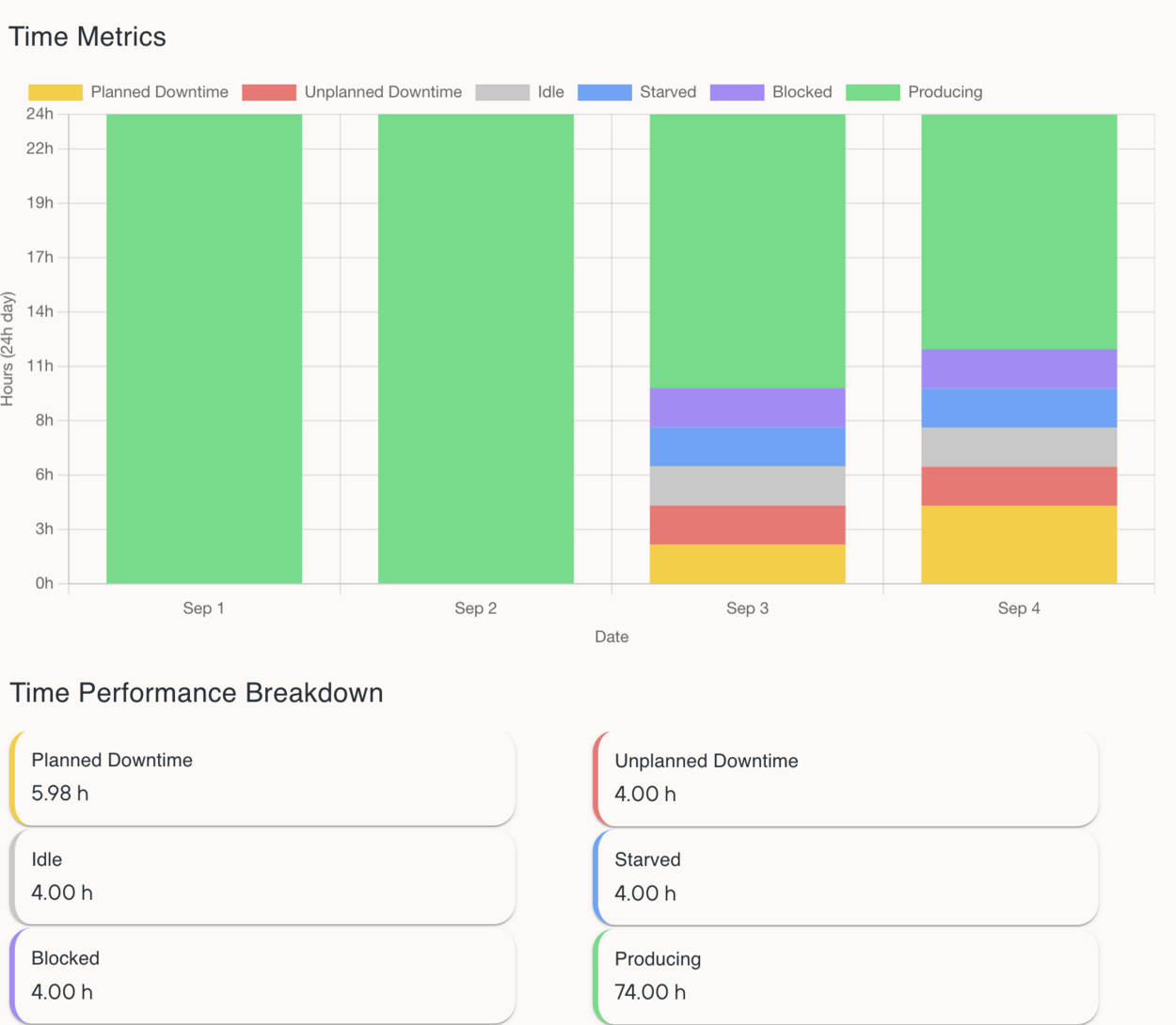
Availability is one of the key KPIs for our fleet, and it is only as good as the data behind it. Until now, the OEE calculation carried the last reported event status forward while the Control Unit was offline. The last event status was kept until the next event arrived, whether that was an hour later or days later. Issue: a Control Unit could be displayed as "producing" for hours without any guarantee whether it was actually producing at all.
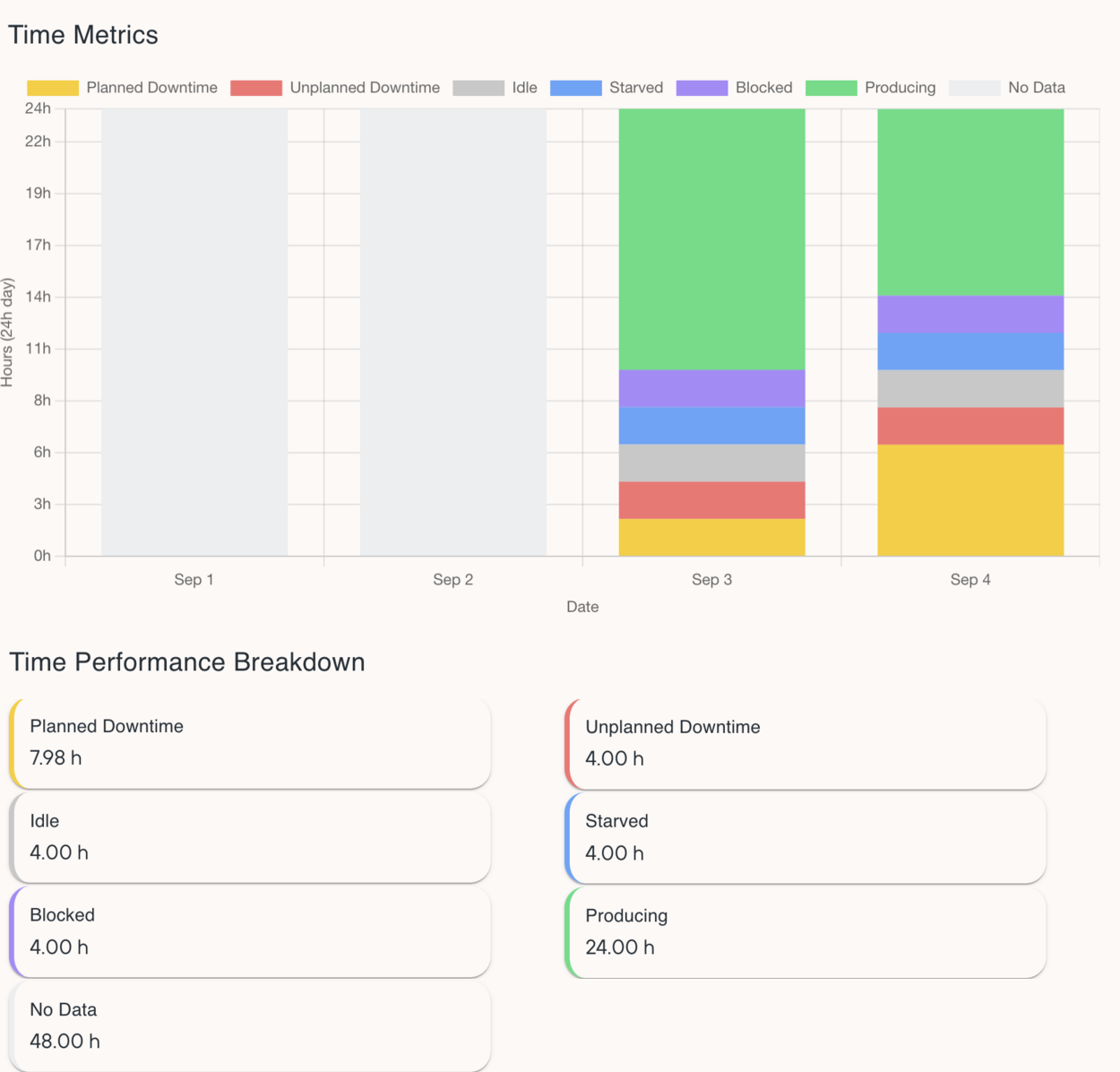
The OEE calculation is updated to only include time for which there's data and the actual event state is known. Time spans a Control Unit never reported events are now shown as No Data and excluded from OEE calculations. What remains is what the Robot actually reported.
Before: every hour is put into a category, as the last event was kept until the next event arrived, even if the Control Unit was offline in between.
After: unreported hours show as No Data and do not count toward OEE.
How we know there is no data
There are two ways, depending on the RobFlow version on the Control Unit.
- RobFlow Backend below v8.3.0: we use the online status metric (when the Control Unit is offline, we categorize it as "No Data").
- RobFlow Backend v8.3.0 and above: we use the OEE event heartbeat from the Control Unit, from the moment the heartbeat was switched on.
The heartbeat is the better of the two, because the unit tells us it is running instead of us guessing. From RobFlow Backend v8.3.0 on, every Control Unit sends a heartbeat every 5 minutes.
What this means for your numbers
Since hours without data no longer count, your OEE values can look different than before.
- Robots that run all the time and stay connected: little or no change. The same time is counted.
- Robots that are switched off often or are offline for longer: the values will change. Hours that used to be counted as a state are now No Data (if the Control Unit was offline).
So if a value moves after this release, the Robot did not behave differently. We stopped filling in hours where we cannot be sure what the Robot did.
Miscellaneous
- No Data appears in the Time Performance Breakdown next to the other categories.
- Export includes No Data.
- Nothing to do in RobCo Studio. Updating the Control Unit to RobFlow v8.3.0 or later makes the calculation more accurate.